
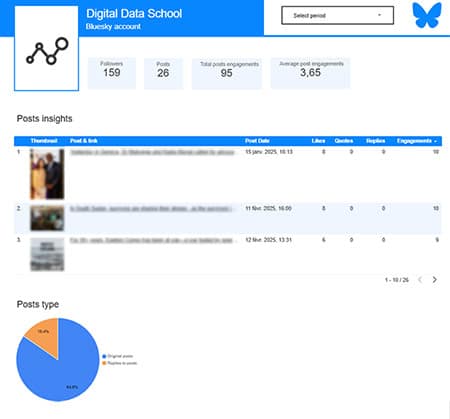
 With this new Bluesky Insights connector for Looker Studio, you can finally connect your Bluesky account and visualize all data from your posts and account!
This connector retrieves profile and posts data from your Bluesky account and turns it into visual, customizable reports in Looker Studio. Track engagement, activity trends, content types, and more.
On this page:
5 quick steps to start using it
- Go to the Bluesky Insights for Looker Studio connector page and click on the « authorise » blue button. You’ll then see the screen below.
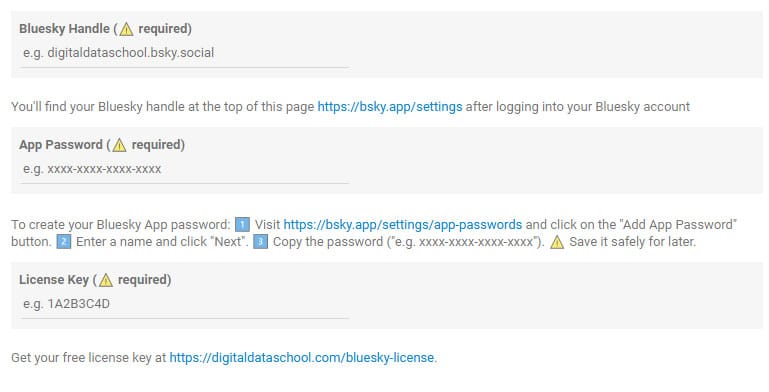
- Enter your Bluesky handle. You’ll find your Bluesky handle at the top of this page https://bsky.app/settings after logging into your Bluesky account
- Enter your Bluesky App Password. To create your Bluesky App password:
- Visit https://bsky.app/settings/app-passwords and click on the « Add App Password » button.
- Enter a name and click « Next ».
- Copy the password (« e.g. xxxx-xxxx-xxxx-xxxx ») and paste it into the connector’s App Password field.
- Get your license key here. Your free license gives you unlimited access until March 31, 2026. A fair pricing model will be decided collaboratively with early users before the end of the year.
- Click on the « Connect » blue button at the top right of your screen. You’ll see the full list of metrics and dimensions. Then Click on the « Create Report » blue button and your dashboard will be created with our predefined template!
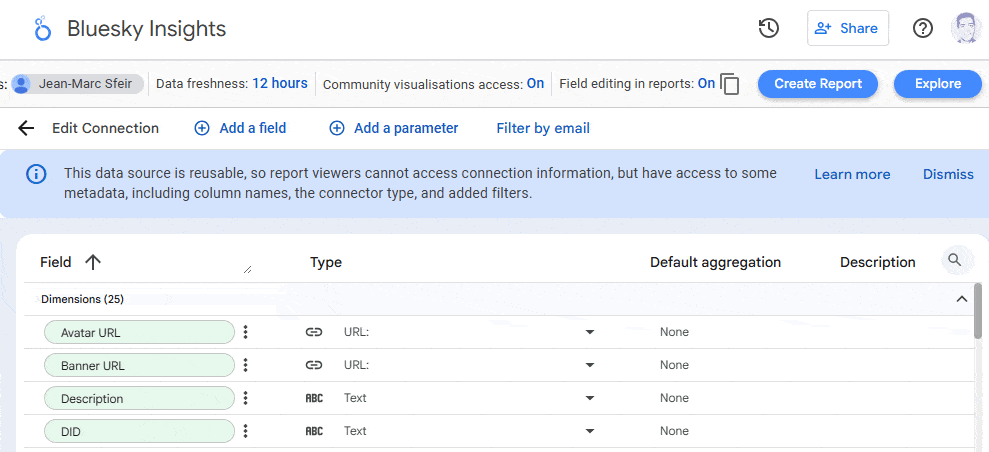
List of available dimensions and metrics
Profile Dimensions
- Username: Your unique Bluesky handle.
- Display Name: The public name you set on your profile.
- Description: Your bio or personal introduction.
- Avatar URL: Direct link to your profile picture.
- Banner URL: Direct link to your profile banner.
- DID: Decentralized Identifier assigned by Bluesky.
- Handle: Another format of your username (may duplicate Username).
- Created At: Date your profile was created.
- Indexed At: Last time your profile was indexed by the connector.
Profile metrics
- Number of Followers: How many users follow your profile.
- Number Following: How many accounts you are following.
- Number of Posts: Total post count associated with your account.
Posts dimensions:
- Post Text: Content of the post.
- Post Date: Timestamp when the post was published.
- Post URI: Internal URI for referencing the post in APIs.
- Post URL: Public link to the post on bsky.app.
- Post ID: Unique identifier for each post.
- Post Type: Whether the post is an original, reply, or quote.
- Reply To (URL): Public link to the post being replied to (if applicable).
- Embed Type: The type of content embedded in the post (e.g., image, link).
- Embed URL: URL of the embedded content.
- Thumbnail URL: Link to a thumbnail image (if available).
Posts Metrics
- Likes: Number of likes a post has received.
- Replies: Number of replies to a post.
- Reposts: Number of times the post was reshared by others.
- Quotes: Number of times the post was quoted by others with a comment.
- Engagement Score: Sum of likes, replies, reposts, and quotes. Reflects total interactions.
- Media Count: Number of media elements (images, videos) in the post.
- Thread Depth: Level of nesting in a conversation thread (i.e., how deep a reply is).
Feedback & support
We welcome all feedback to improve this connector. If you encounter issues or have suggestions, please send us your feedback or request for support.
Privacy policy & terms of use
This privacy policy explains what data we access through our Looker Studio connector for Bluesky accounts, how we use it, how we protect it, and your rights. By using the connector, you agree with Bluesky Terms of Service and Google API usage policies, as stated in our tems of use.
Contact
For any questions about this policy or your data, please contact us at [email protected].