
With the beehiiv Insights connector for Data Studio, you can finally connect your beehiiv account and visualize every newsletter you run in one place: post performance, email engagement, subscriber growth etc.
On this page:
- 7 quick steps to start using it
- List of available dimensions and metrics
- Free trial & pricing
- Feedback & support
- Privacy policy & terms of use
- Contact
7 quick steps to start using it
Step 1: Authorise both Data Studio and beehiiv Insights to access your data.
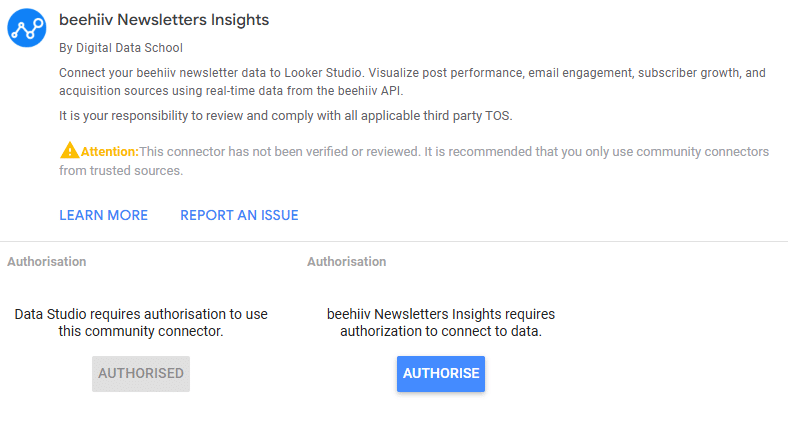
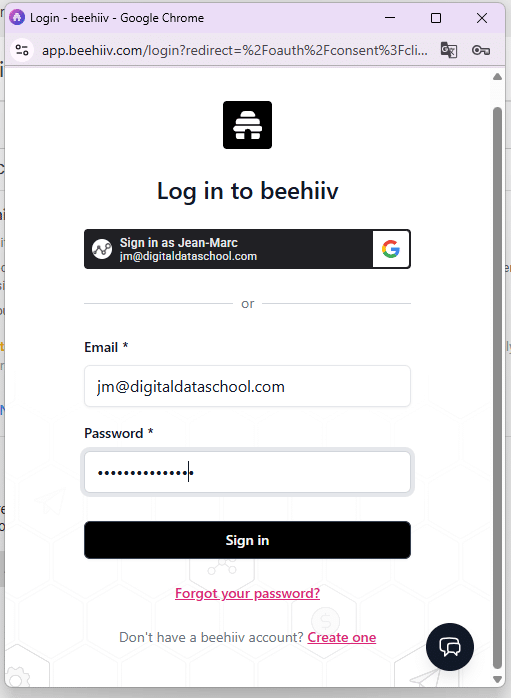
Step 2: After clicking the blue “authorise” button, you’ll see this popup. Log into your beehiiv account.
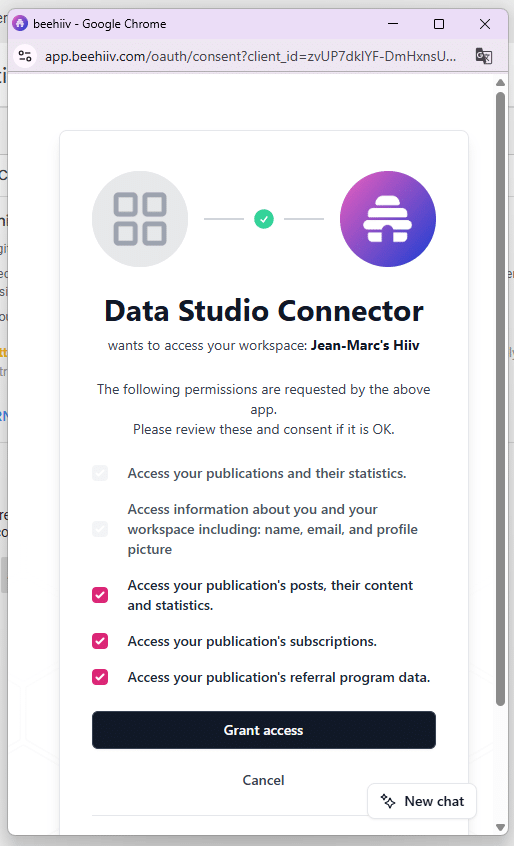
Step 3: On this popup, tick all boxes and click on “Grant access”
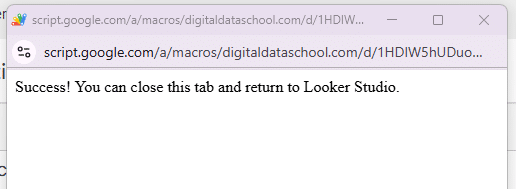
Step 4: Close this window, it will take you back to your connector page.
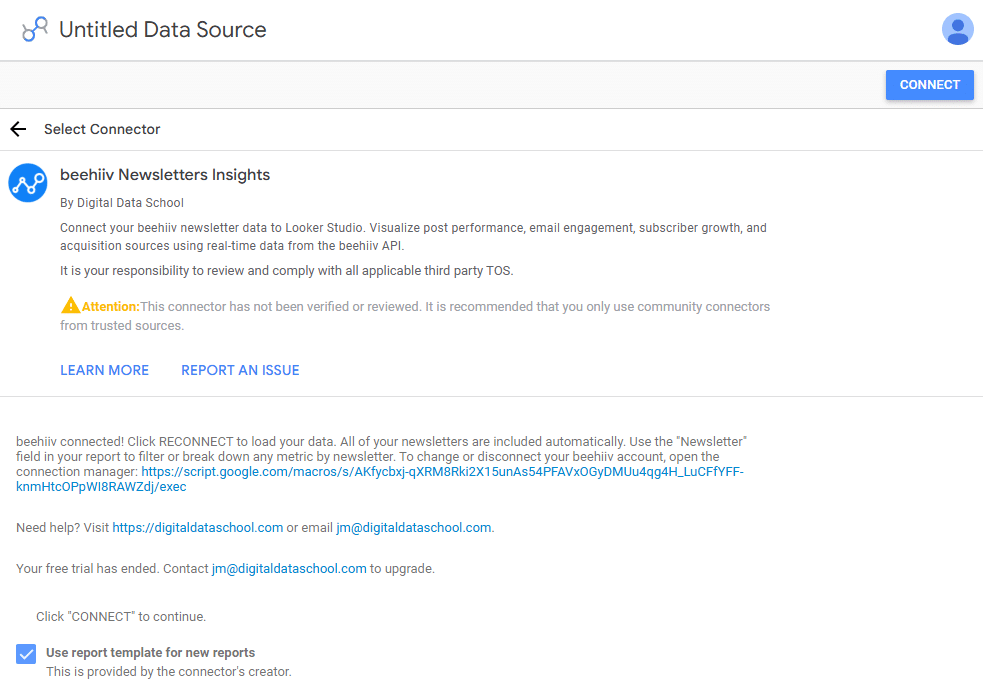
Step 5: You’ve successfully connected your beehiiv account. You have 14 days of free trial. Now click on the “Connect button”.
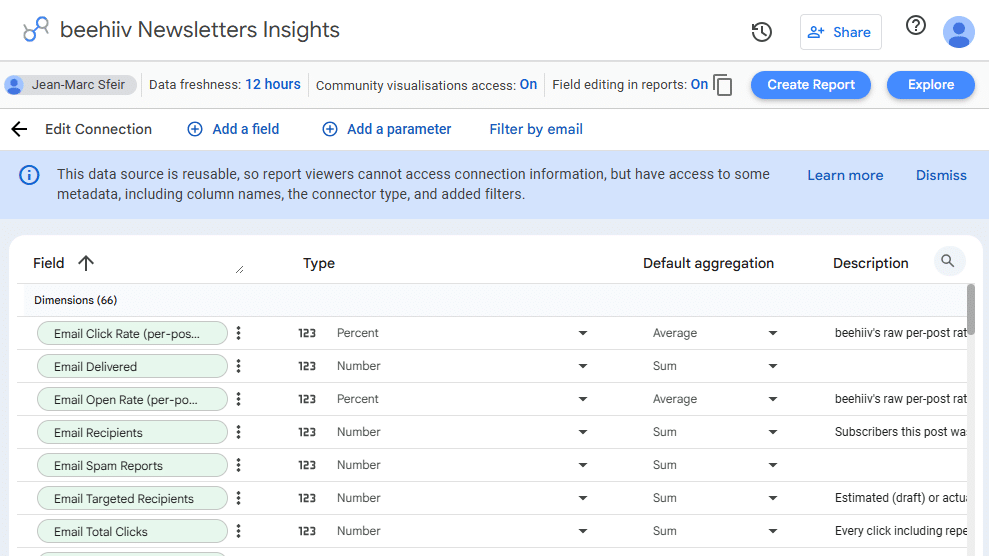
Step 6: You’ll see all metrics and dimensions. Click on “create report”.
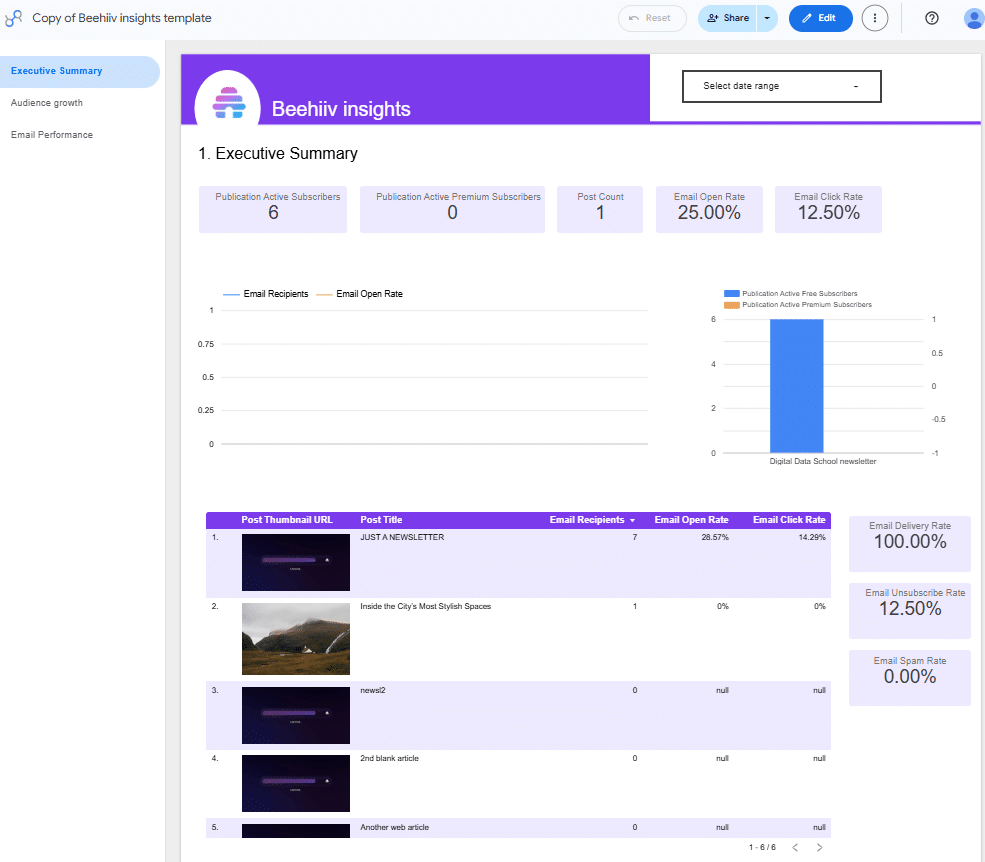
Step 7: Enjoy this 3 pages template, showing an executive summary, a focus on your beehiiv audience growth and on your email performances.
List of available dimensions and metrics
1. Newsletter
- Newsletter: The publication a row belongs to. Present on every row, so any metric can be filtered or broken down by newsletter.
- Newsletter ID: beehiiv’s unique identifier for the publication.
- Row Type: Which level a row represents — Newsletter, Publication, Post or Subscriber. Filter every chart on this.
2· Publication totals
beehiiv’s account-wide roll-ups — ideal for audience-size scorecards. These are fast and don’t require crawling your subscriber list.
- Publication Active Subscribers: beehiiv’s own active subscriber count for the whole newsletter.
- Publication Active Free Subscribers: Active subscribers on the free tier.
- Publication Active Premium Subscribers: Active subscribers on a paid tier.
- Publication Avg Open Rate: beehiiv’s account-wide average open rate (shown as a %).
- Publication Avg Click Rate: beehiiv’s account-wide average click rate (shown as a %).
- Publication Emails Sent: Lifetime emails sent for this newsletter (not affected by the report date range).
- Publication Unique Opens: Lifetime unique opens for this newsletter.
- Publication Clicks: Lifetime clicks for this newsletter.
3· Post attributes
- Post ID: Unique identifier for the post.
- Post Title: The post’s title.
- Post Subtitle: The post’s subtitle.
- Post Subject Line: The email subject line.
- Post Subject Length Bucket: Subject length banded (Under 30, 30–39, 40–49, 50–59, 60+) — break open rate down by this to test subject length.
- Post Preview Text: Inbox preview text; drives open rate alongside the subject line.
- Post Split Tested: Whether beehiiv ran a split test on this post (email posts only).
- Post Status: draft, confirmed or archived. Filter to confirmed on post charts.
- Post Platform: web, email or both.
- Post Audience: free or premium.
- Post Publish Date: When the post was published, use as the date range on post charts.
- Post URL: Public link to the post’s web version.
- Post Thumbnail URL: Link to the post’s thumbnail image.
- Post Authors: The post’s author(s).
- Post Content Tags: Topic tags on the post (distinct from Subscriber Tags).
4· Post & email metrics
- Email Recipients: Subscribers the post was actually sent to.
- Email Targeted Recipients: Estimated (draft) or actual (sent) subscribers targeted.
- Email Delivered: Emails successfully delivered.
- Email Unique Opens: Distinct people who opened, use this for funnels and rates.
- Email Total Opens: Every open including repeats (inflates easily, prefer Unique Opens).
- Email Unique Clicks: Distinct people who clicked.
- Email Total Clicks: Every click including repeats.
- Email Unique Verified Clicks: Distinct bot-filtered clicks, the most defensible number to report to a sponsor.
- Email Verified Clicks: All bot-filtered clicks including repeats.
- Email Unsubscribes: Unsubscribes attributed to the post.
- Email Spam Reports: Spam complaints attributed to the post.
- Email Upgrades: Free-to-premium upgrades attributed to the post (paid publications only).
- Post Subject Length: Character count of the subject line.
- Post Count: Distinct posts (filter Row Type to Post and Status to confirmed).
5 · Email rates (shown as %)
- Email Open Rate: Unique opens ÷ delivered. The one to use for scorecards, trends and any breakdown.
- Email Click Rate: Unique clicks ÷ delivered. The one to use for scorecards, trends and any breakdown.
- Email Click-to-Open Rate: Unique clicks ÷ unique opens, the cleanest read on content quality.
- Email Delivery Rate: Delivered ÷ recipients. Below 95% needs attention.
- Email Unsubscribe Rate: Unsubscribes ÷ delivered. Under 0.2% is generally healthy.
- Email Spam Rate: Spam reports ÷ delivered. Above 0.1% risks sender reputation.
- Email Upgrade Rate: Upgrades ÷ delivered, which posts actually convert readers to paid.
- Email Open Rate (per-post avg): beehiiv’s raw per-post rate. Use only when you want “the typical post”; otherwise prefer Email Open Rate.
- Email Click Rate (per-post avg): beehiiv’s raw per-post rate; prefer Email Click Rate for anything aggregated.
6· Web metrics
- Web Views: Views of the post’s web version.
- Web Clicks: Clicks on the post’s web version.
- Web Read Share: Web views ÷ (web views + unique email opens), shown as a %, how much readership happens outside the inbox.
7 · Subscriber attributes
- Subscriber ID: Unique identifier for the subscriber.
- Subscriber Email: The subscriber’s email address.
- Subscriber Status: active, inactive, pending, validating, invalid, needs_attention or paused.
- Subscriber Tier: beehiiv’s raw tier value (free or premium).
- Subscriber Signup Date: When they subscribed, use as the date range on subscriber charts.
- Subscriber UTM Source: The UTM source recorded at signup.
- Subscriber UTM Medium: The UTM medium recorded at signup.
- Subscriber UTM Channel: beehiiv’s raw acquisition channel (website, import, referral, recommendation, boost, …).
- Subscriber UTM Campaign: The UTM campaign recorded at signup.
- Subscriber UTM Term: The UTM term recorded at signup.
- Subscriber UTM Content: Typically the ad or A/B test variation.
- Subscriber Referring Site: The site that referred them.
- Subscriber Own Referral Code: The code this subscriber uses to refer others (does not mean they were referred, use Acquisition Type for that).
- Subscriber Premium Tier Names: Names of any premium tiers the subscriber is on.
- Subscriber Tags: Tags applied to the subscriber (distinct from Post Content Tags).
8 · Subscriber segments (calculated for you)
- Subscriber Acquisition Source: Where they came from, UTM source, falling back to referring site, then “Direct / Unknown”.
- Subscriber Acquisition Type: How they arrived, Referred, Recommendation, Boost or Organic.
- Subscriber Engagement Segment: Champion (50%+ open rate), Engaged (20%+), At risk (>0), Dormant (0), or Never sent.
- Subscriber Plan: Free or Premium, based on whether any premium tier is attached.
9 · Subscriber metrics
- Subscriber Count: Distinct subscribers. With a Signup Date range this reads as “signups in the period”, for total list size use Publication Active Subscribers.
- Active Subscriber Count: Distinct subscribers whose status is active.
- Subscriber Retention Rate: Active ÷ all subscribers, shown as a % (reads as cohort retention when scoped by Signup Date).
- Premium Subscriber Count: Distinct subscribers on a premium tier.
- Subscriber Emails Received: Emails this subscriber has received.
- Subscriber Open Rate: This subscriber’s own open rate across all emails they received (shown as a %).
- Subscriber Click Rate: This subscriber’s own click-through rate (shown as a %).
- Subscriber Referrals Made: How many people this subscriber referred.
Switching or disconnecting your beehiiv account
To connect a different beehiiv account, or to disconnect, open the beehiiv connection manager. It shows which account you’re connected to and lets you disconnect, after which you can re-authorize with another beehiiv account.
Free trial & pricing
Your first connection automatically starts a 30-day free trial with full access to all data. The connector’s configuration screen shows how many days you have left. When the trial ends, data refreshes pause until you upgrade. Just contact us at [email protected] and we’ll sort out a fair plan. (A pricing model will be decided collaboratively with early users.)
Feedback & support
We welcome all feedback to improve this connector. If you run into an issue or have a suggestion, please send us your feedback or request support.
Privacy policy & terms of use
Our privacy policy explains what data we access through the connector, how we use it, how we protect it, and your rights. The connector signs you in with beehiiv’s own OAuth and reads your data in real time to build your reports; by using it you agree to beehiiv’s terms, Google’s API usage policies, and our terms of use. Please note that this Beehiiv Newsletter Insight is produced and handled by Digital Data School, an independent third-party integration and is not an official Beehiiv product.
Contact
For any question about this connector, your data, or this policy, contact us at [email protected].